Guest list, budget, timeline, seating chart, vendors, gift & song lists — plus a QR code your guests scan to drop photos straight into your gallery. No app for them to download, no spreadsheet for you to wrangle.
One calm dashboard for guests, budget, timeline and more — instead of six scattered spreadsheets.
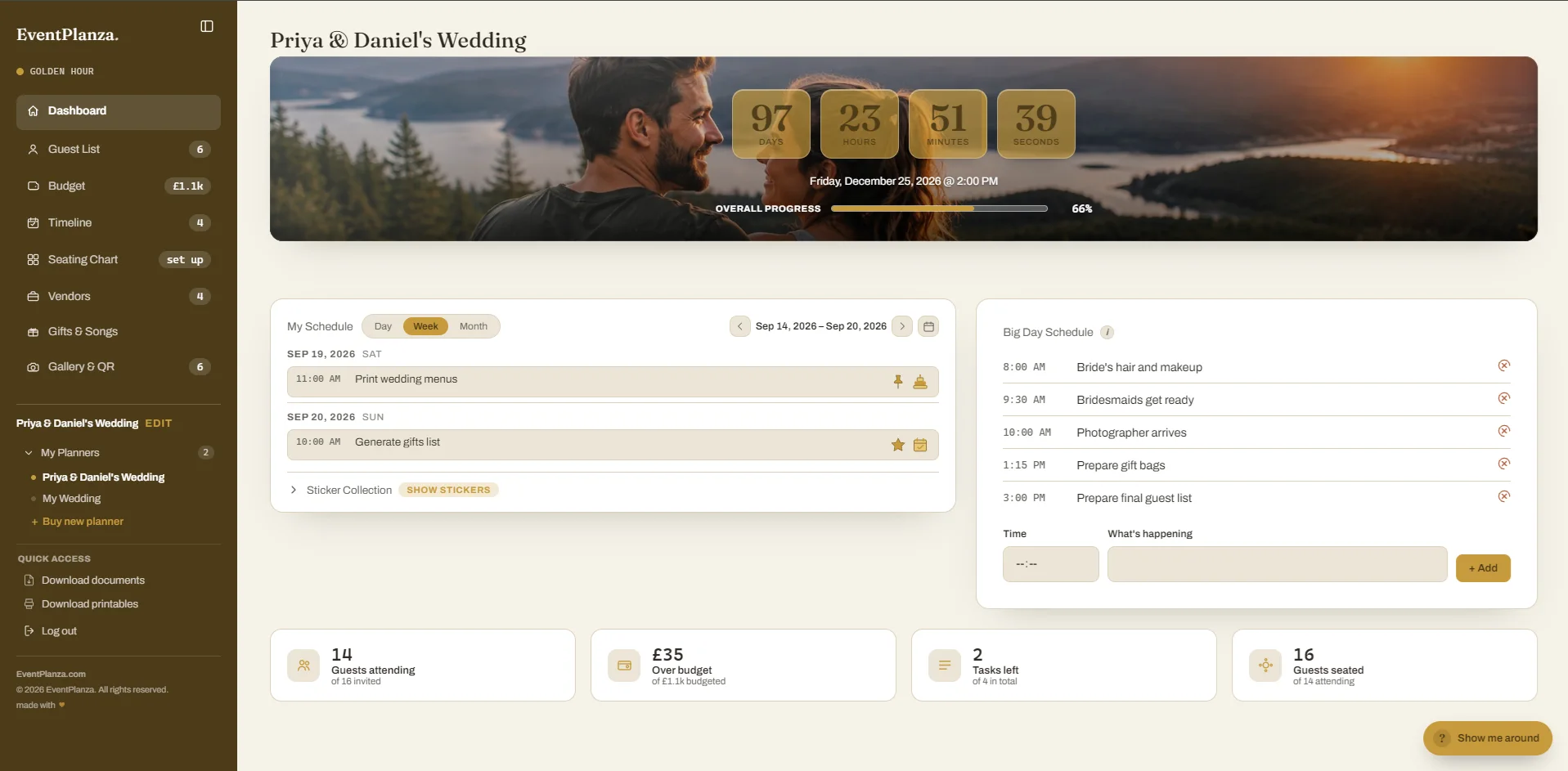
app.eventplanza.com/dashboard
Your home screen. A live countdown to the big day, the tasks due today, how far along your planning is, and the running order for the day itself — all without clicking into anything.
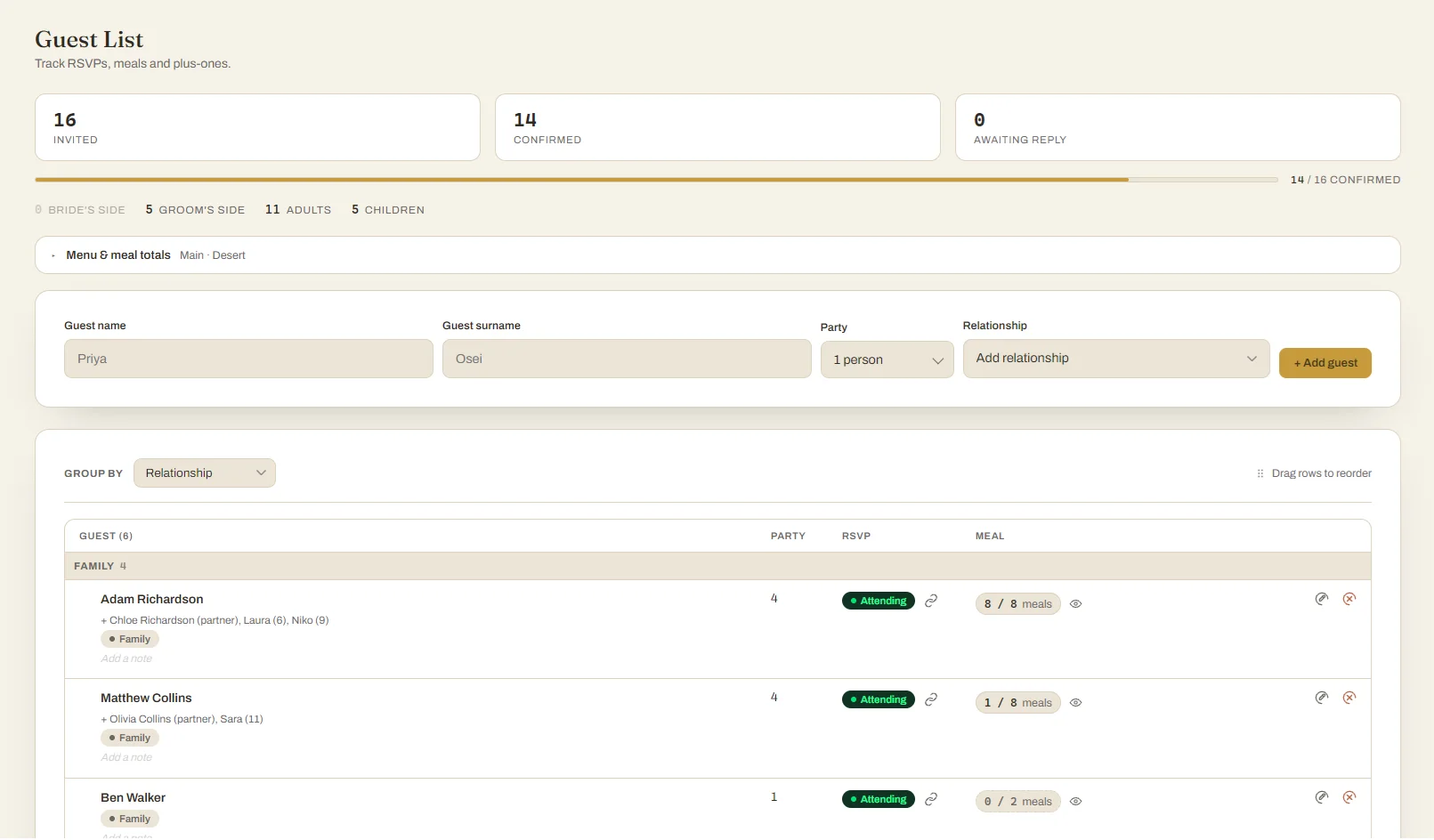
app.eventplanza.com/guests
Every guest in one list: who's coming, who hasn't replied, plus-ones, children and their ages, meal choices, and which side they're from. The headcount updates itself as RSVPs come in.
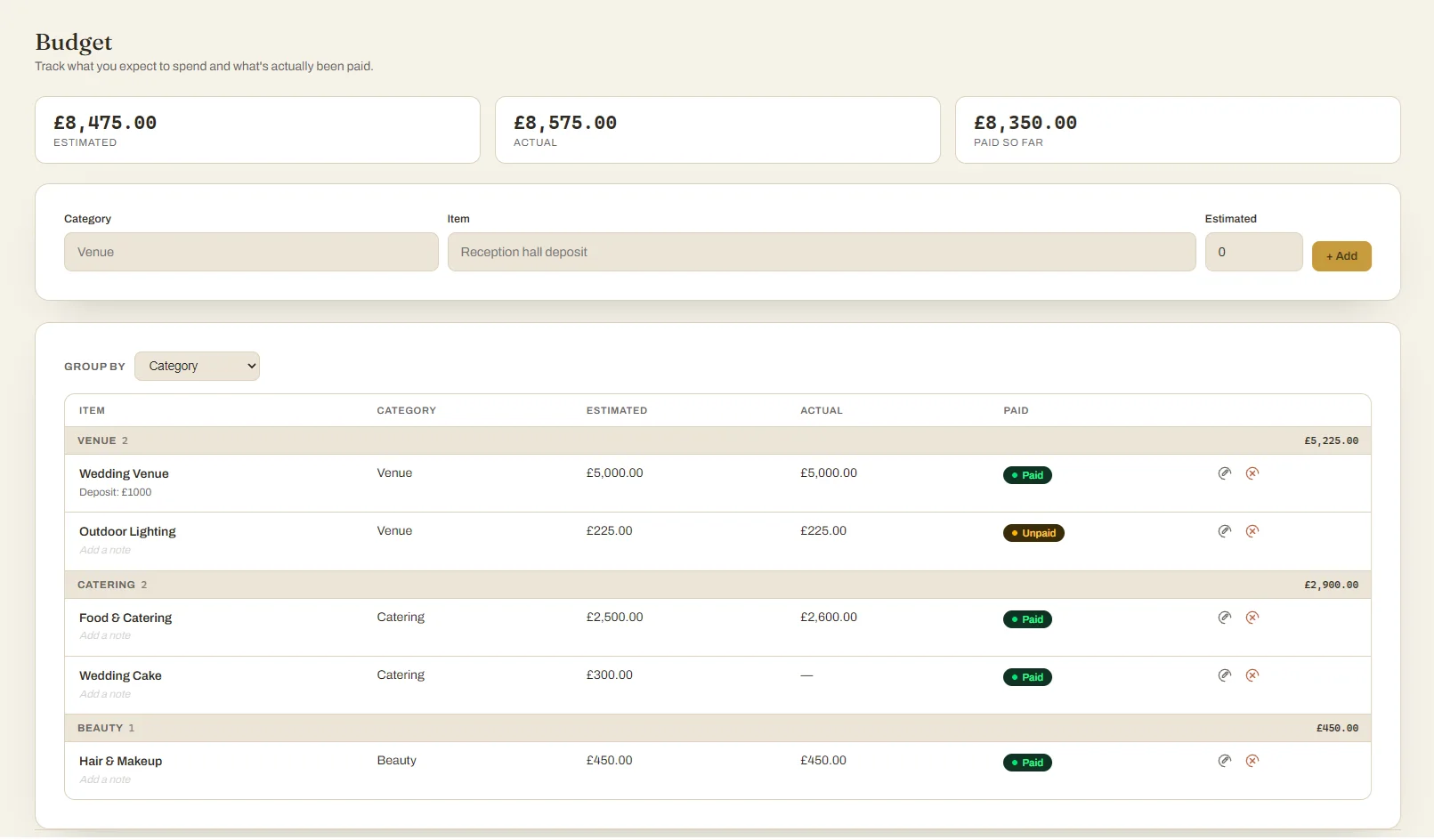
app.eventplanza.com/budget
Set what you expect each thing to cost, then record what you actually paid. You always know the difference between the plan and reality, and what's still outstanding.
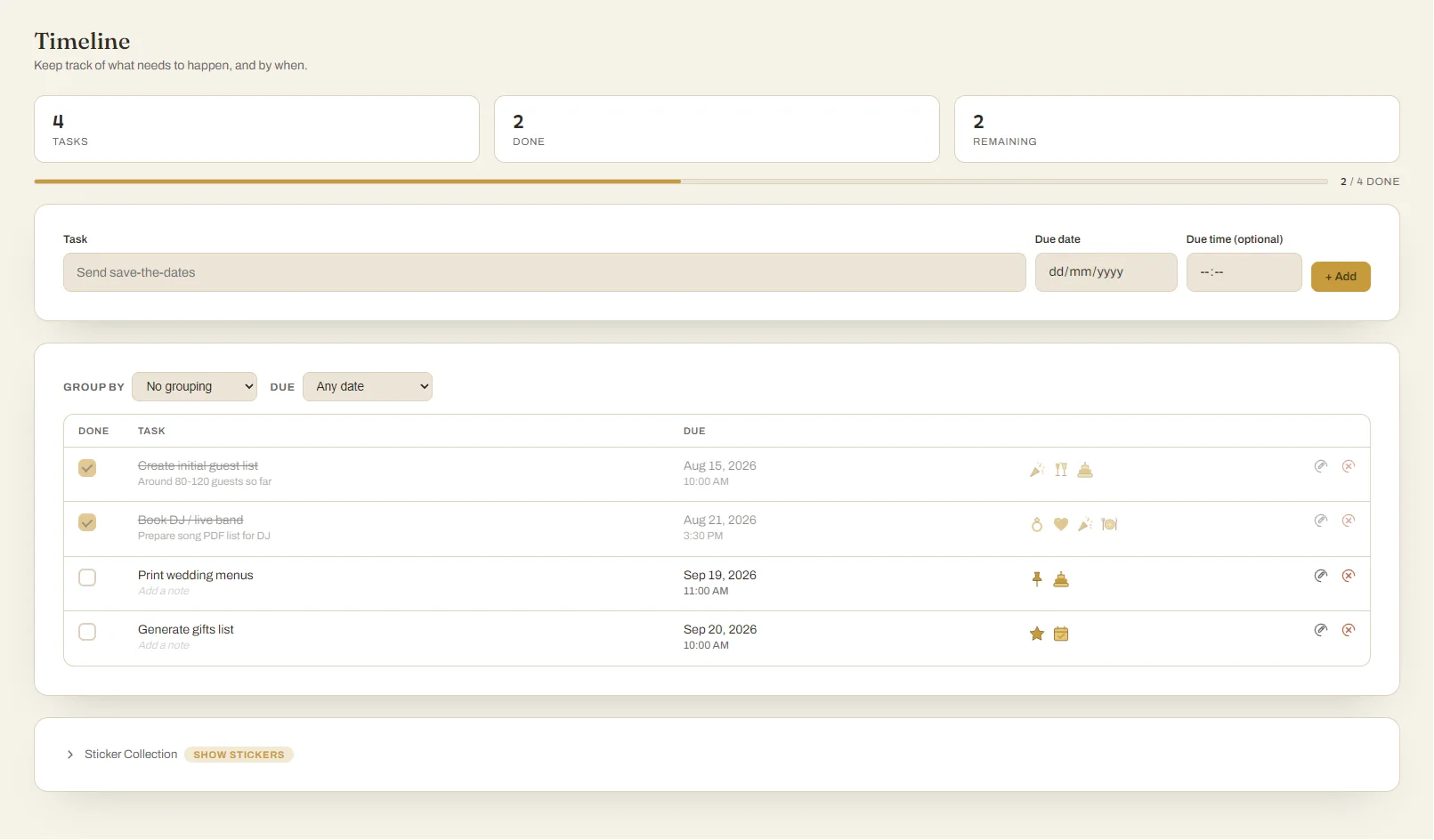
app.eventplanza.com/timeline
A checklist with real dates, so nothing gets forgotten. Tick things off as you go and today's outstanding jobs show up on your dashboard automatically.
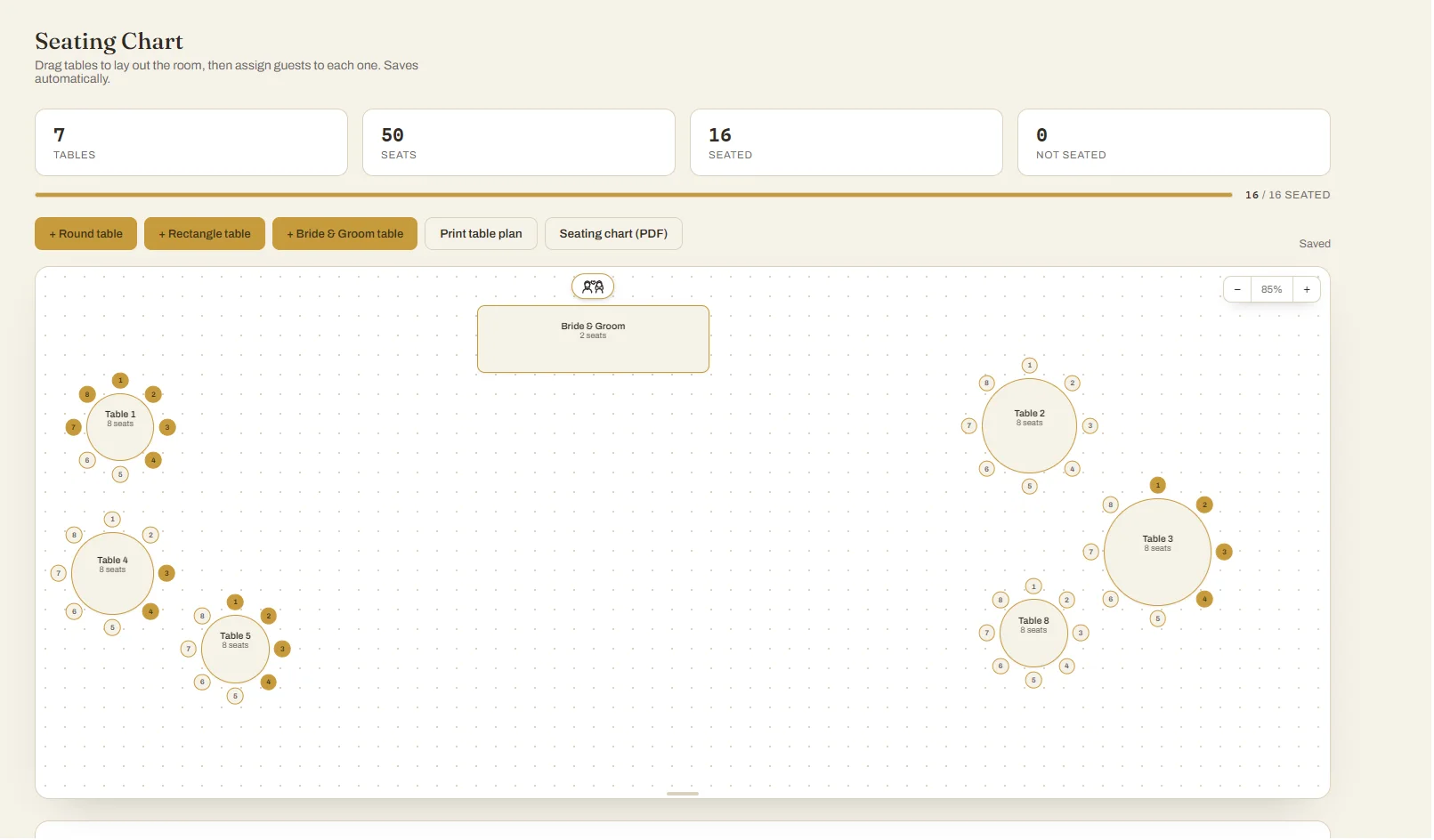
app.eventplanza.com/seating
Drag round, rectangle or a Bride & Groom table into place, then seat guests one chair at a time. Saves as you go, and prints as a table-by-table plan for your venue or caterer.
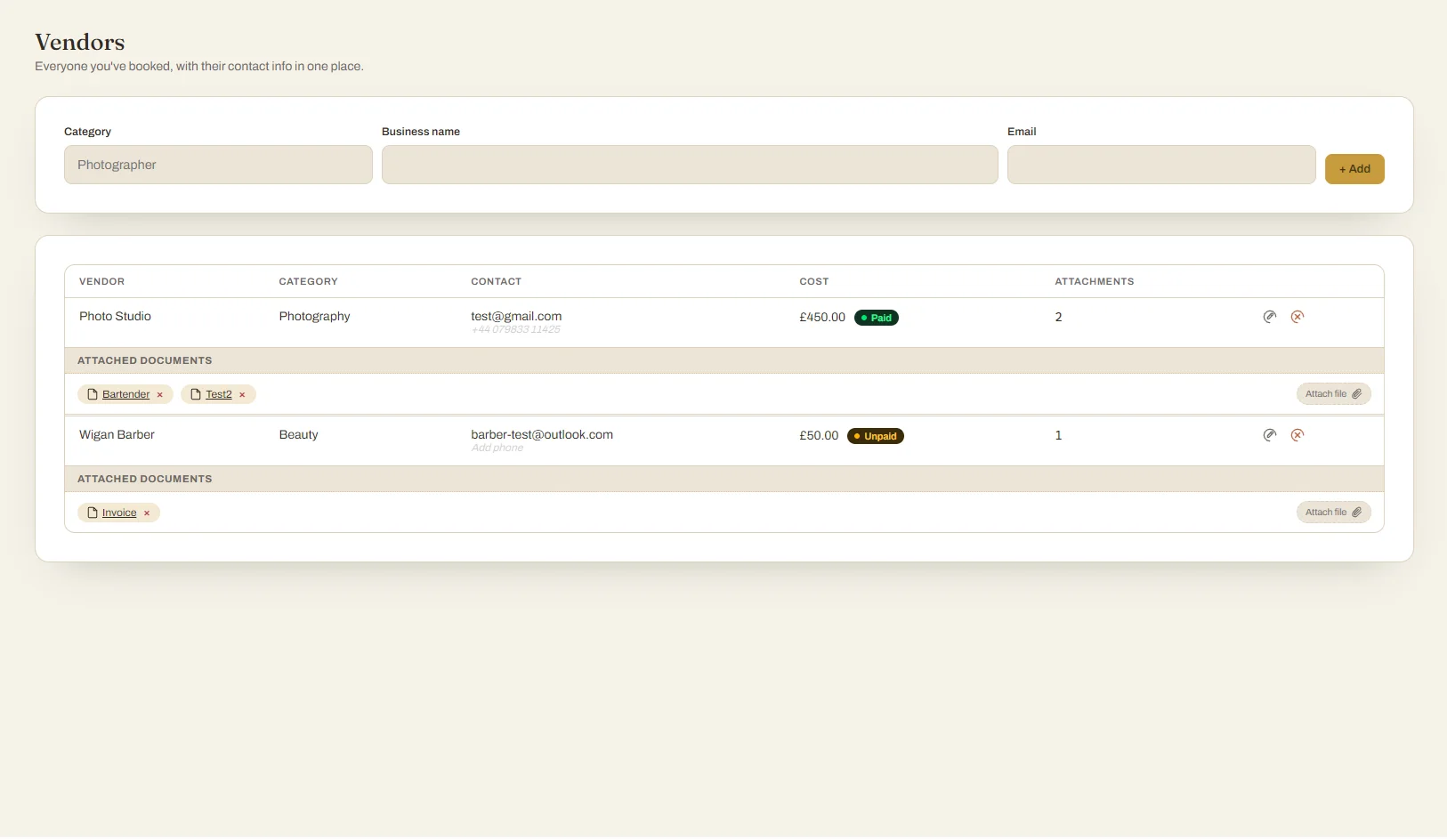
app.eventplanza.com/vendors
Photographer, florist, DJ, cake — every contact, contract and cost together, plus where guests are staying and how everyone's getting there.
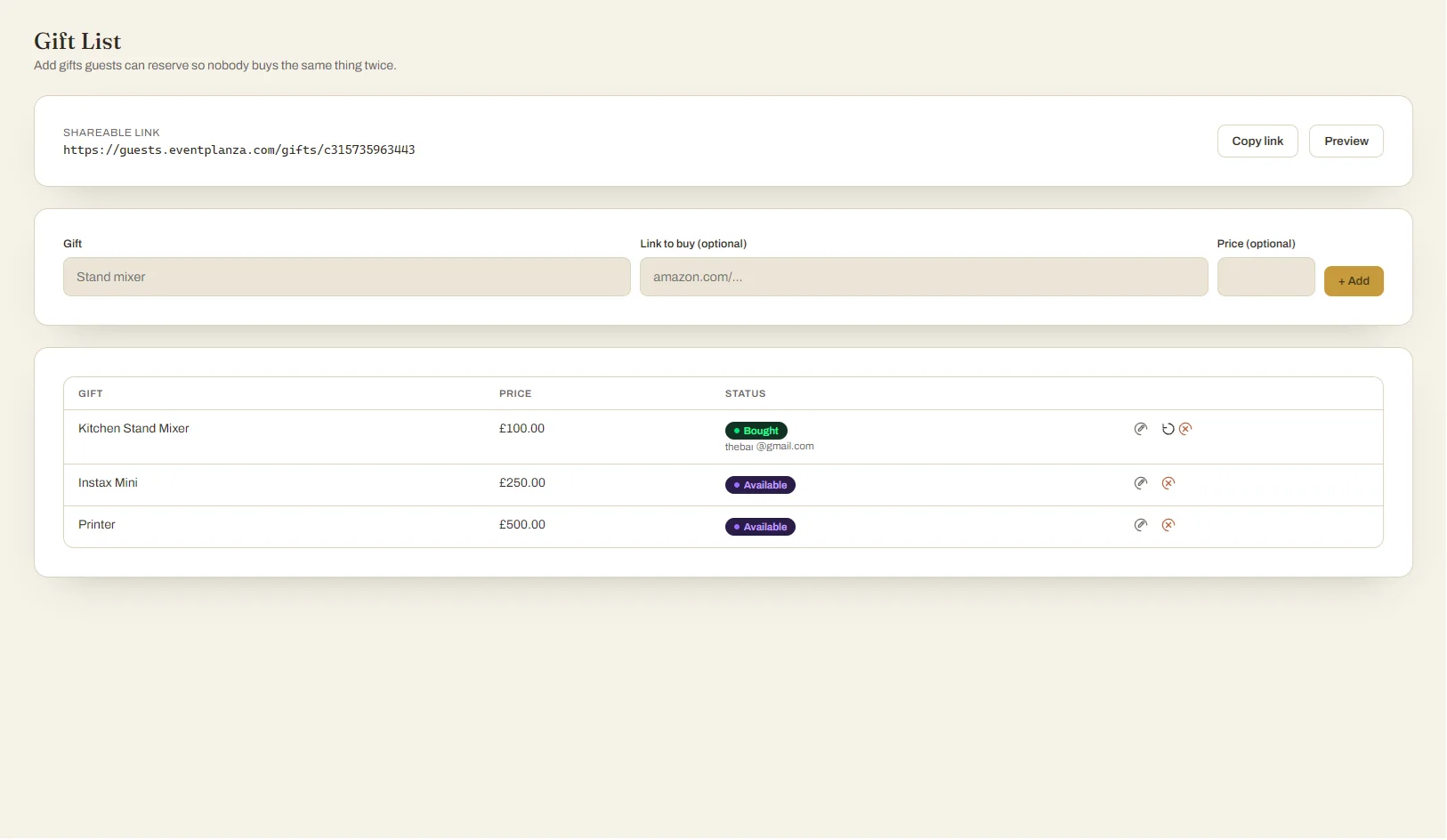
app.eventplanza.com/registry
Share a gift list guests can reserve from, so nobody buys the same thing twice. Build your must-play song list alongside it and hand your DJ a clean printable PDF.
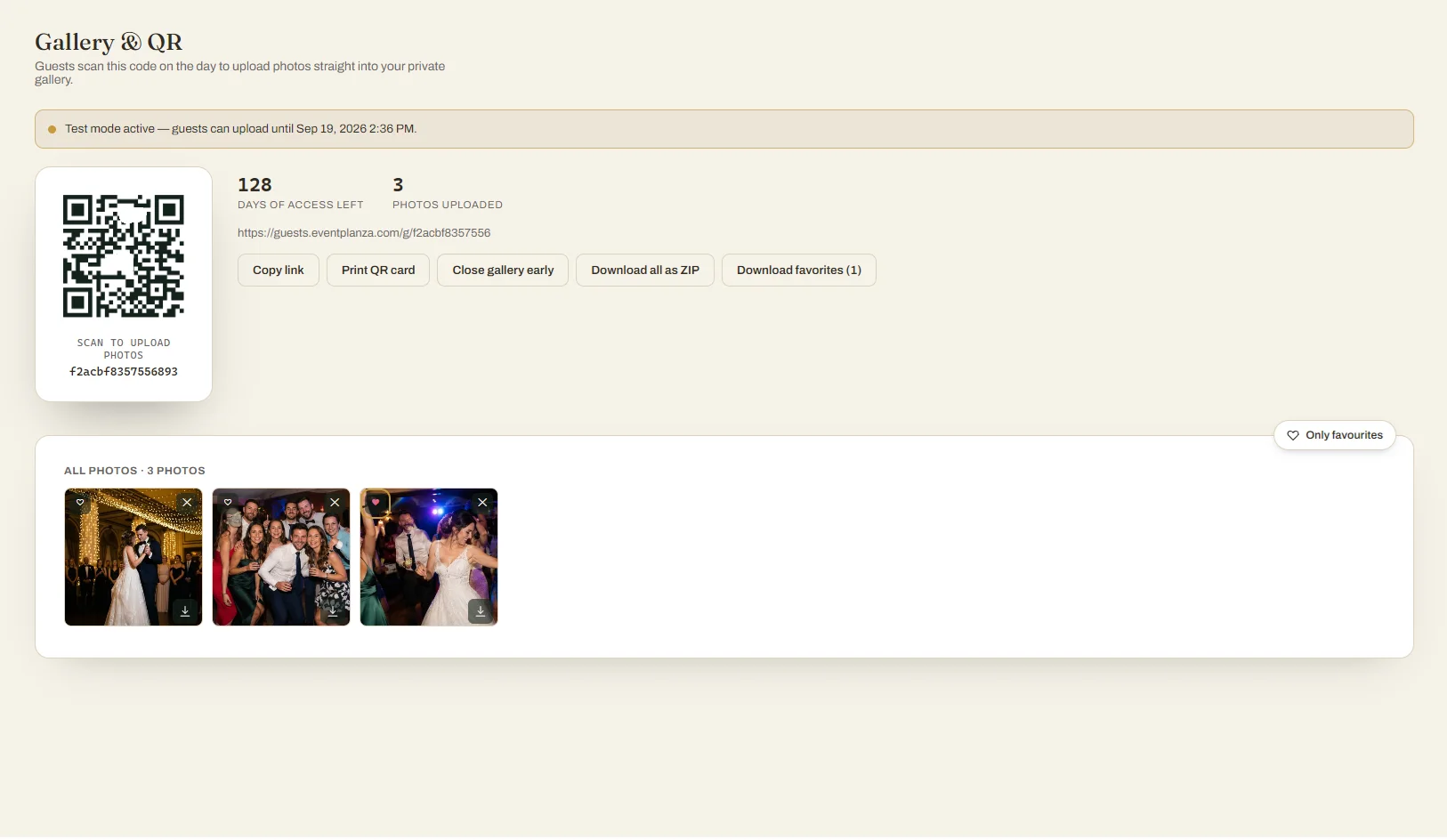
app.eventplanza.com/gallery
Print the QR code for your tables. Guests scan it and upload photos straight to your private gallery — no app, no account. Afterwards, share the same link so everyone can look back and download.
app.eventplanza.com/gallery/print
← CancelPrintPrint 2 copies
✎ Customize your card
♡
CAPTURE
theLove
Share your photos with us!
Scan the code with your smartphone & upload your photos!
Thank you, Priya & Daniel's Wedding :)
EventPlanza.
A ready-to-print card for your tables — your QR code, your wording, your names. Print one or two per page, cut them out, and guests know exactly what to do without you saying a word.
← swipe to explore every screen →
How it works
From purchase to party in four steps
01
Buy your planner
Pick it up on Etsy, eBay, or right here. You'll get a one-time link by message.
02
Claim & personalize
Create your account, then choose one of 20 themes to match your day.
03
Build it out
Guest list, budget, timeline, seating chart, vendors and registry links — all in one place.
04
Share the QR code
Print it or show it on the day. Every photo a guest uploads lands straight in your gallery — after the party, just share that same link so everyone can look back and download the photos too.
Everything in one place
Built for the whole planning process
Not just a checklist — a real planner with the tools you actually need.
Dashboard
Countdown, today's tasks, planning progress and the day's schedule at a glance.
My Schedule & Stickers
See your day, week or month at a glance, and decorate the lines with stickers in your theme's colours.
Guest List
Track RSVPs, party sizes and who's bringing whom — partners and children each listed by name.
Menus & Meal Choices
Set your courses, then record a meal for every single person — partners and children included — with running totals for the caterer.
Budget Tracker
Estimated vs. actual cost, and what's already been paid.
Timeline
Every task with a due date, so nothing slips through.
Seating Chart
Drag tables into place and assign guests to seats, then print the room layout and a table-by-table plan for the venue.
Vendors, Stays & Transport
Every vendor contact, cost and paid status, plus accommodation and travel — with invoices and contracts attached to each one.
Print-Ready Downloads
One click for a PDF of your seating chart, table plan, guest list, timeline, budget or song list — or every vendor invoice in a single zip.
Gift List
A shareable registry guests can reserve gifts from, so nobody buys the same thing twice.
Song List
Build your must-play list and hand your DJ a clean, printable PDF.
QR Photo Gallery
Guests upload photos with no login, no app — just a scan. Print a QR card for the tables, too.
Edit Anything In Place
Click a name, a date, a price — change it right there and it saves itself. No forms, no Save buttons to hunt for.
20 Themes
Pick a look that matches your day — change it any time.
30 Languages
Your planner and the guest-facing pages both speak your language.
Multiple Planners, One Login
Planning more than one event? Buy another and manage them all from a single account.
Pick your look
A theme for every kind of day
Every table, card and the final gallery card take on your chosen palette.
After purchase you'll get a one-time link to claim your planner and create your account.
Questions
A few things people ask
Is this a physical product?
No — it's entirely digital. After purchase you'll get a link to redeem, build your planner in your browser, and share the gallery QR code with guests.
Do my guests need to download anything?
No. They scan the QR code with their phone's camera, which opens a page to upload a photo — no account, no app.
How long can I use my planner for?
You can edit your planner right up through your event, plus a further window afterward — the exact length depends on your planner type and is shown when you buy. After that, your guest list, budget, timeline and everything else stays visible to look back on, it just can't be edited anymore. Gallery photos follow their own window too, and you'll always be able to download them before it closes.
Can I buy more than one planner?
Yes — use the same email for each purchase and they'll all show up under one account when you log in.
Absolutely love this wedding planner! 💍❤️ It’s beautifully designed, easy to use, and has everything you need to stay organised throughout the wedding planning process. I especially loved how it helps keep track of tasks, appointments, guests, and all the little details that are so easy to forget. It made planning feel much less stressful and much more manageable. Highly recommended for any couple planning their big day! ✨
Paulina & BartWedding, Aug 2026Verified buyer
Secure Payments
Checkout is handled by Stripe — we never see your card details.
Instant Delivery
Your planner link lands in your inbox right after purchase.
Private By Design
Only you and the guests you invite can ever see your planner.
Real Support
Email us anytime — a real person replies.
Cookies
We use a couple of cookies to keep you signed in and to remember your language. No advertising, no analytics, no tracking. Read our cookie policy
 Photo gallery